
Download ExpanDrive – Secure Remote File Access for Mac, Windows, Linux
Overview
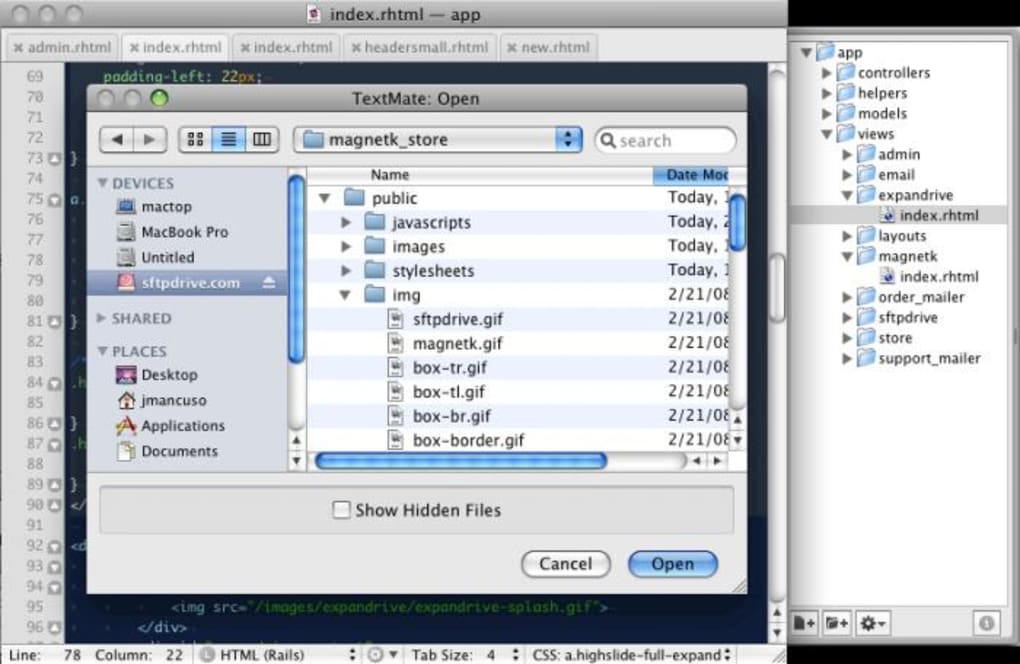
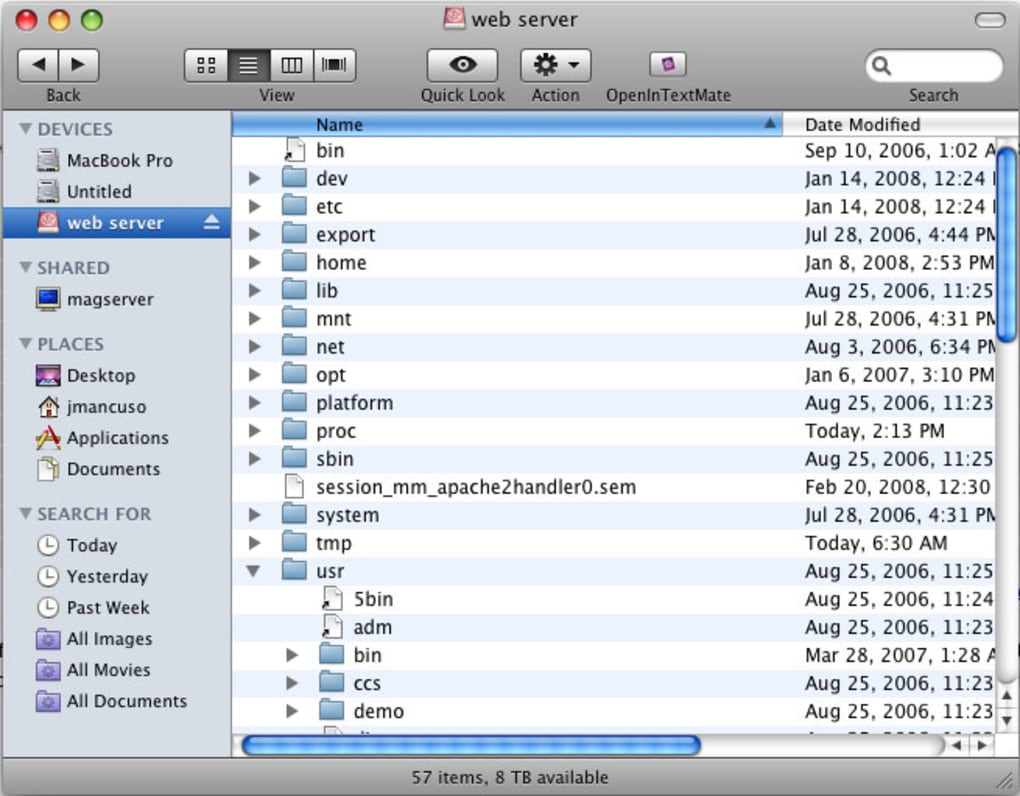
ExpanDrive is a powerful file‑system bridge that lets you mount remote servers directly inside your native file manager—Finder on macOS, Explorer on Windows, or any Linux desktop environment. By leveraging the flexibility of MacFUSE (or its cross‑platform equivalents), ExpanDrive transforms SFTP, FTP, Amazon S3, WebDAV, and even cloud storage services into virtual drives that behave exactly like local folders. The moment you launch the application and supply a host name, username, and password, the remote directory appears instantly, enabling you to open, edit, and save files without the extra step of downloading or uploading.
This seamless workflow is especially valuable for developers, designers, and system administrators who need real‑time access to configuration files, source code, or large media assets stored on remote machines. ExpanDrive’s responsiveness rivals native storage, making the latency of remote connections feel almost invisible. While the tool excels at speed and ease‑of‑use, it does generate hidden “.DS_Store” files on remote servers and offers limited guidance on clean uninstallation—two minor inconveniences that seasoned users can manage with a few extra steps.
Overall, ExpanDrive demonstrates how modern file‑system technology can turn any remote storage into a local‑like experience, boosting productivity across macOS, Windows, and Linux platforms.
Key Features
- Native Drive Mapping: Mount SFTP, FTP, WebDAV, Amazon S3, Google Drive, Dropbox, and many other protocols as local drives.
- Real‑Time Editing: Open files directly from the remote server in any macOS, Windows, or Linux editor without manual transfers.
- Background Sync Engine: Changes are saved instantly; ExpanDrive monitors file handles and writes updates back to the server as soon as you close the file.
- Secure Connections: Full support for SSH keys, two‑factor authentication, and encrypted TLS/SSL sessions.
- Cross‑Platform Compatibility: Available for macOS (10.12+), Windows 10/11, and major Linux distributions (Ubuntu, Fedora, Debian).
- Version Control Integration: Built‑in Subversion (SVN) commands allow you to commit, update, and revert directly from the mounted drive.
- Custom Drive Nicknames: Assign readable nicknames with colons and special characters for easy identification.
- Performance Optimizations: Caching, lazy loading, and intelligent pre‑fetching keep latency low even over high‑latency networks.
- Automatic Updates: The app checks for security patches and feature upgrades, ensuring you always run the latest stable version.
Installation & Usage Instructions
Step‑by‑Step Installation
1. Download the Installer: Visit the official ExpanDrive website and click the “Download for macOS/Windows/Linux” button that matches your operating system. The installer is signed and delivered over HTTPS, guaranteeing a secure download.
2. Run the Installer: On macOS, double‑click the .dmg file, drag the ExpanDrive icon to the Applications folder, and confirm any Gatekeeper prompts. On Windows, run the .exe and follow the wizard; on Linux, install the .deb or .rpm package using your package manager.
3. Grant Permissions: The first launch may request access to your file system (macOS) or network adapters (Windows). Approve these prompts to allow ExpanDrive to create virtual drives.
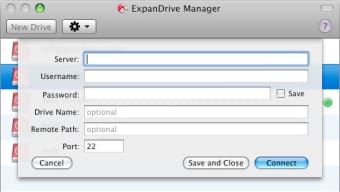
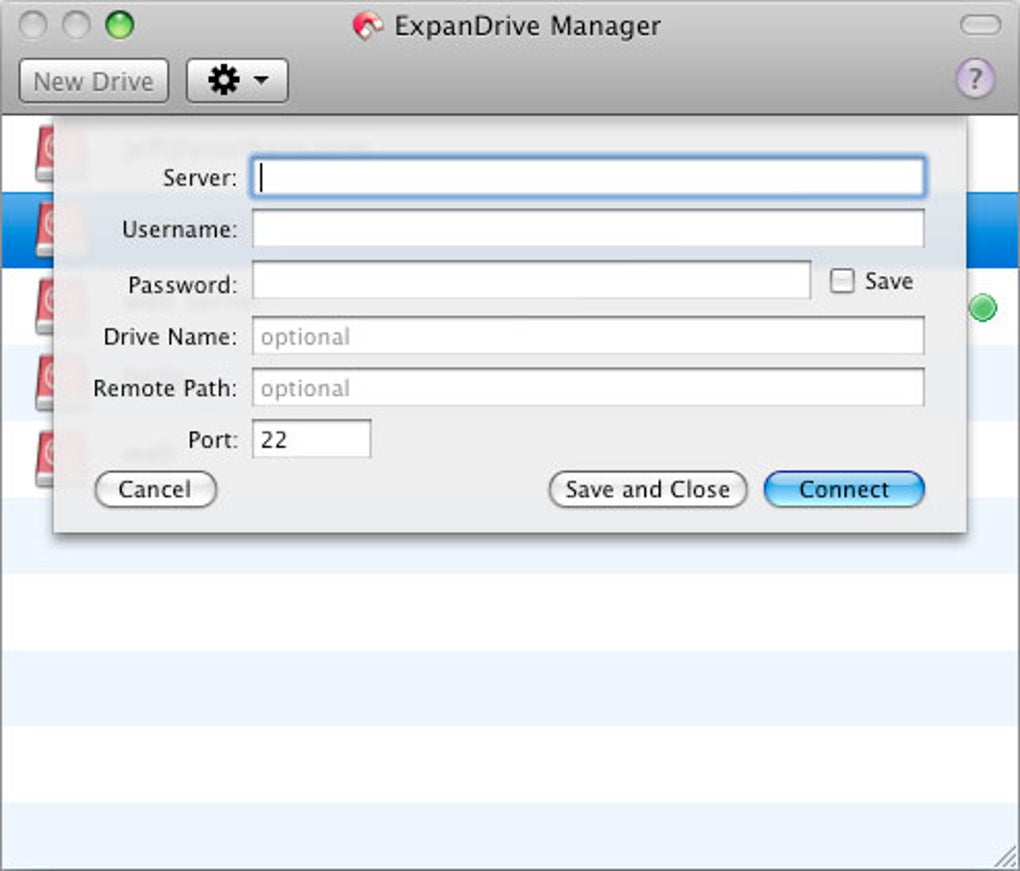
4. Enter Server Details: Click the “+” button in the ExpanDrive interface, select the protocol (e.g., SFTP), then provide the host name, port, username, and password or SSH key. Save the connection for future use.
5. Mount the Drive: After saving, the remote location appears in the sidebar of Finder, Explorer, or your Linux file manager. Double‑click to mount; the drive letter or mount point will be assigned automatically.
Everyday Workflow
Once mounted, treat the remote folder like any other local directory. Open a file with your preferred editor—whether it’s VS Code, Sublime Text, or Microsoft Office. As soon as you save, ExpanDrive streams the changes back to the server over the secure channel you configured.
For large binary assets, the app uses chunked transfers to avoid re‑uploading the entire file. If you work with version‑controlled repositories, the built‑in SVN commands appear in the context menu, allowing you to commit changes without leaving your file manager. The software also supports drag‑and‑drop between local and remote drives, making bulk uploads or backups a breeze.
Should you need to disconnect, simply unmount the drive via the ExpanDrive menu; the connection will close cleanly, leaving no lingering processes.
Compatibility & System Requirements
ExpanDrive is designed to run on the three major desktop operating systems:
- macOS: 10.12 (Sierra) and later, including macOS Ventura and Sonoma. Requires 64‑bit architecture and a minimum of 200 MB free disk space for the core application.
- Windows: Windows 10 (1809+) and Windows 11, both 64‑bit editions. The installer includes the necessary WinFsp driver to emulate a file system.
- Linux: Ubuntu 18.04+, Debian 10+, Fedora 30+, and other distributions that support FUSE 2.9+. Packages are available as .deb and .rpm files.
In addition to the OS, ExpanDrive requires a stable internet connection for remote mounts. For SFTP and SSH connections, a minimum of TLS 1.2 support is recommended. The application runs comfortably on machines with at least 2 GB RAM and a modern dual‑core CPU; performance scales with available system resources and network bandwidth.
The latest release (v5.2) introduced improved compatibility with Windows‑based SFTP servers that enforce strict cipher suites, as well as better handling of drive nicknames containing colons—an often‑overlooked edge case for developers who map multiple environments under a single letter. Users on older hardware may experience slightly higher latency, but the built‑in caching mechanisms mitigate most performance hits.
Pros, Cons & Frequently Asked Questions
Pros
- Seamless integration with native file managers makes remote editing feel local.
- Supports a wide array of protocols, including cloud services like S3 and Dropbox.
- High security with SSH keys, two‑factor authentication, and TLS encryption.
- Fast, responsive UI that minimizes perceived latency.
- Built‑in version‑control commands for SVN, reducing context‑switching.
Cons
- Leaves hidden “.DS_Store” files on remote macOS servers, which may clutter directories.
- Lacks a straightforward uninstaller; manual removal of residual files may be required.
- License is commercial (paid after 30‑day trial), which might deter occasional users.
FAQ
Can I use ExpanDrive with cloud storage providers like Google Drive?
Yes. ExpanDrive includes native connectors for Google Drive, Dropbox, OneDrive, and Amazon S3. Once you add the account credentials, the cloud folder appears as a regular drive on your desktop.
Is the data transferred between my computer and the server encrypted?
All supported protocols (SFTP, FTPS, HTTPS, WebDAV over TLS) encrypt traffic using industry‑standard algorithms. For SFTP, you can also enforce specific ciphers and MACs in the connection settings.
How do I completely remove ExpanDrive from my Mac?
Drag the ExpanDrive app from the Applications folder to the Trash, then delete the support files located in ~/Library/Application Support/ExpanDrive and the kernel extensions in /Library/Extensions. A restart ensures all background services are cleared.
Does ExpanDrive support multiple simultaneous connections?
Yes. You can mount dozens of remote drives at once, each with its own credentials and protocol. The UI groups them in the sidebar for easy navigation.
What happens if my network connection drops while a file is open?
ExpanDrive caches changes locally and attempts to re‑establish the connection automatically. Once the network is restored, pending changes are synced to the server. If the connection cannot be recovered, you will be prompted to save the file locally.
ExpanDrive delivers on its promise of turning remote servers into native drives. The speed and reliability are impressive, especially when working with large codebases over SFTP. While the hidden .DS_Store files can be annoying, they are a small price to pay for the convenience. Overall, it earns a solid 4.5‑star rating for macOS, Windows, and Linux users seeking a secure, efficient file‑system bridge.
Conclusion & Call to Action
If you regularly juggle files across remote servers, cloud buckets, or mixed‑environment development stacks, ExpanDrive offers a single, secure solution that eliminates the clunky download‑edit‑upload cycle. Its native integration, broad protocol support, and fast performance make it a valuable addition to any professional’s toolkit. Despite minor quirks like stray .DS_Store files and a non‑intuitive uninstaller, the benefits far outweigh the drawbacks. Ready to experience remote files as if they were sitting on your desktop? Download ExpanDrive now, start your free 30‑day trial, and enjoy seamless, secure access to every server you need.







